Koristaja.
The demo opens right away, no sign-up. All the data is made up. More at koristaja.app
- For
- Cleaning and maintenance companies
- Users
- Manager, site managers, cleaners and gig workers
- Languages
- Estonian, Russian and English
- Devices
- Computer and phone, works right in your phone's browser
- Address
- Each company at its own address: company.koristaja.app
Sound familiar?
The schedule is in Excel, door codes in WhatsApp and hours on paper. Every change means several calls, and working out pay at the end of the month takes hours.
The app brings it all into one place. The manager changes the schedule and the cleaner sees it on their phone straight away.
Profit and loss.
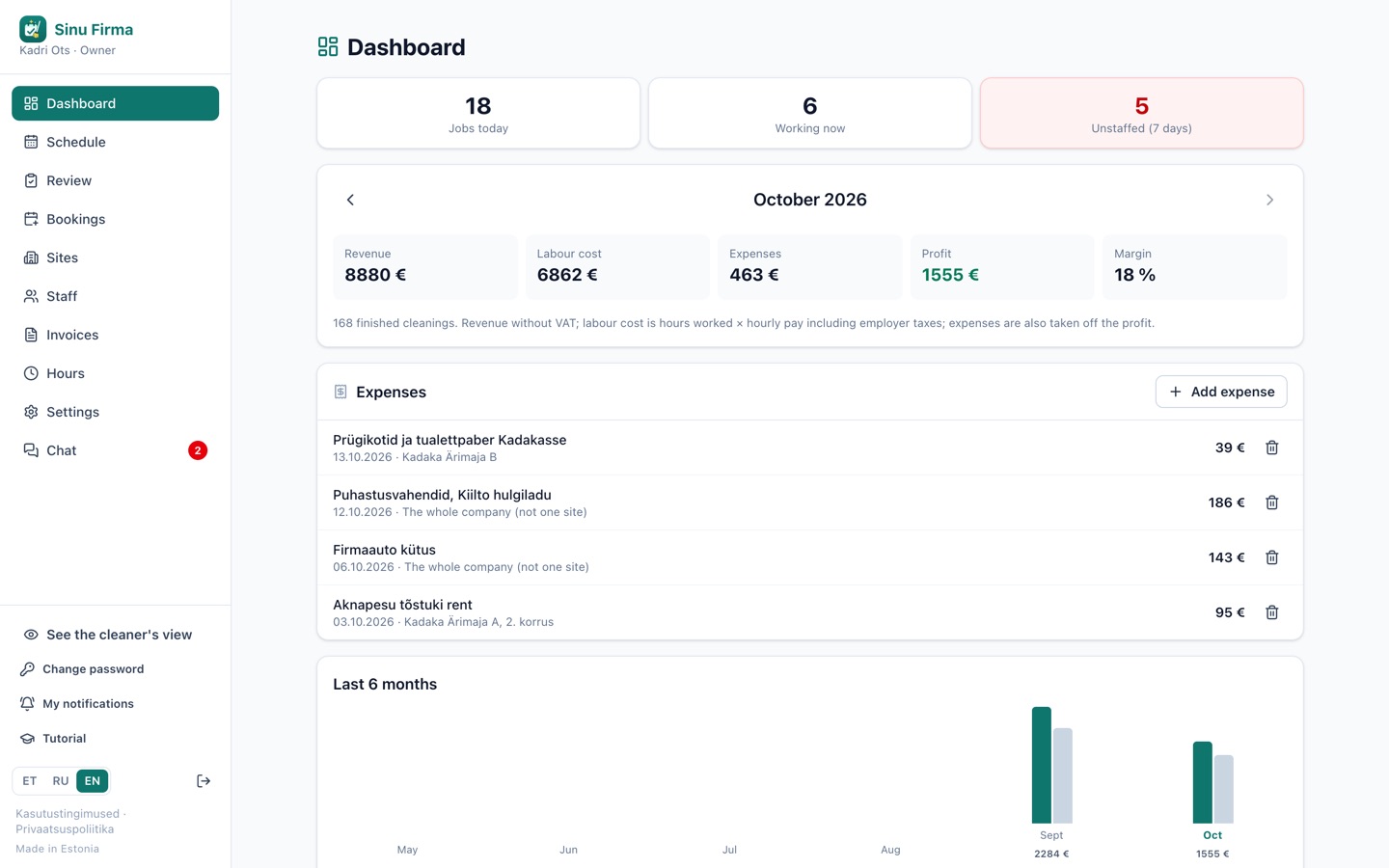
The dashboard shows each month's revenue, labour cost including employer taxes, expenses and profit. Sites are listed with the loss-making ones first, so you see straight away which price needs a second look.
Prices are per site or per clean. A one-off deep clean can get its own price in the schedule. Cleans for Airbnb and Booking.com flats come from the bookings by themselves and count in the same figures.
Only the owner sees the money, and only the owner adds or changes admins. Whether admins and site managers can see revenue or add expenses is your choice in the settings. If you don't need this view, it can be turned off.
For managers.
Schedule
Month, week and day views of every site. The filter shows free cleaners and gig workers, and jobs by client type and your own categories. Recurring cleans appear on their own.
Airbnb and Booking.com
Cleans for short-term rentals come straight from the booking calendar. A changed or cancelled booking changes the clean too.
Can't come
When a cleaner can't come, you see at once who, where, when and why, with free cleaners who could cover. You assign one with a single tap.
Sick days, leave and wish days
Cleaners report sick days in the app, and who is sick today shows in the schedule at once. Requests and upcoming days off have their own view in the schedule, where you approve or decline them.
Notifications on the phone
When someone falls ill or can't come, you get a notification on your phone straight away, with the details: who, where and when.
Spot checks
Site managers mark on site what is in order. The score goes to whoever did the last clean, and every site gets an average score.
Supplies
Cleaners note what has run out. The whole shopping list is in one view, with the same items on one line.
Staff
A profile with a photo for everyone: hourly pay, sites, and hours planned and worked this month.
Hours and pay
Hours add up automatically, with weekend extra pay and bonuses. Hours and pay can be downloaded to Excel.
Bookings
Clients fill in your booking form. You send them suitable times and a price, and once they agree, it becomes a job.
Invoices
Invoices as PDFs from finished jobs. You see what is overdue, what is waiting for payment and what hasn't been invoiced yet.
Roles and permissions
Create your own roles and decide who sees and does what. By default only the owner sees the money.
The cleaner's view
See one cleaner's app as they see it, without changing anything.
Chat
The manager, site managers and staff talk in the app, in groups too, with photos and links to jobs. If you don't need chat, it can be switched off in the settings.
For cleaners.
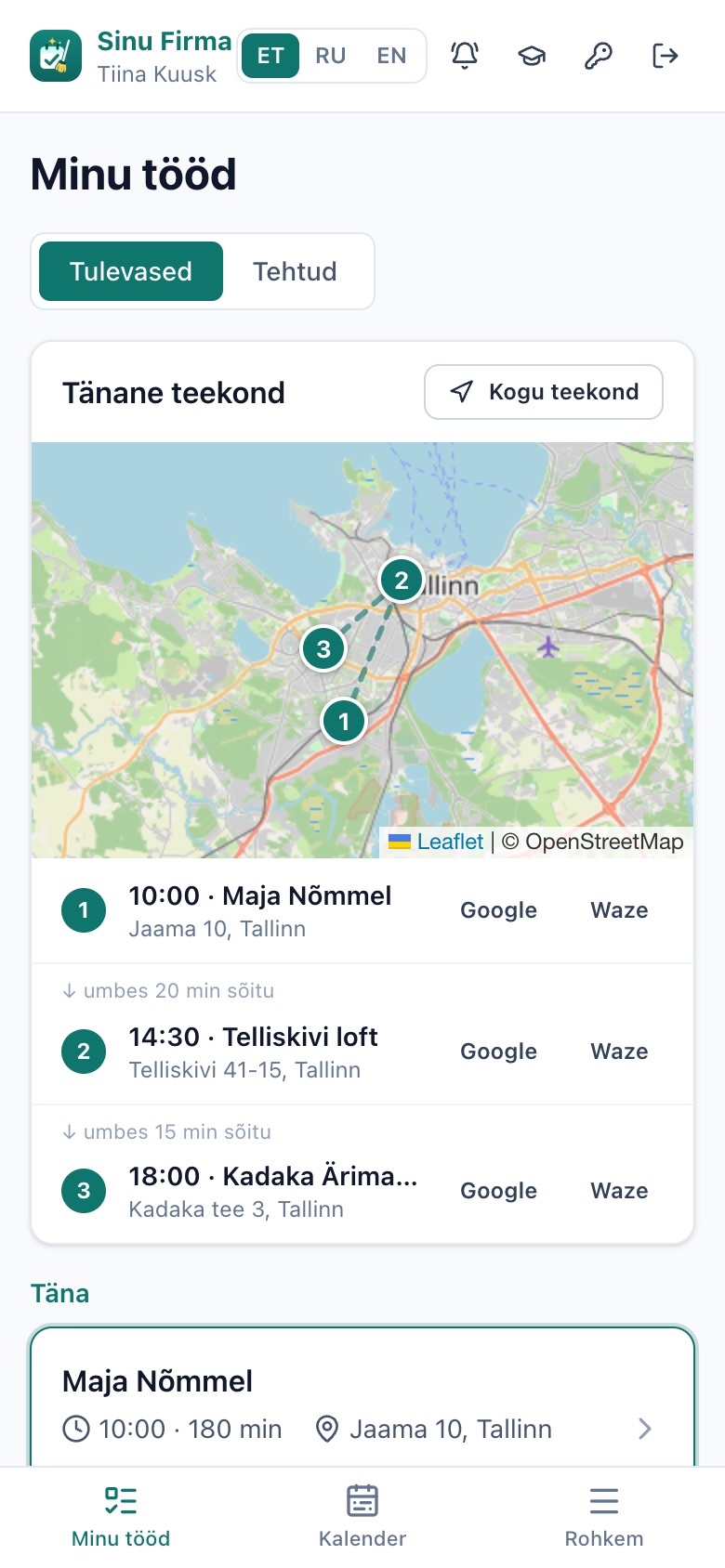
The day's route
Today's jobs on a map in order, with Google Maps and Waze for every address.
Job page
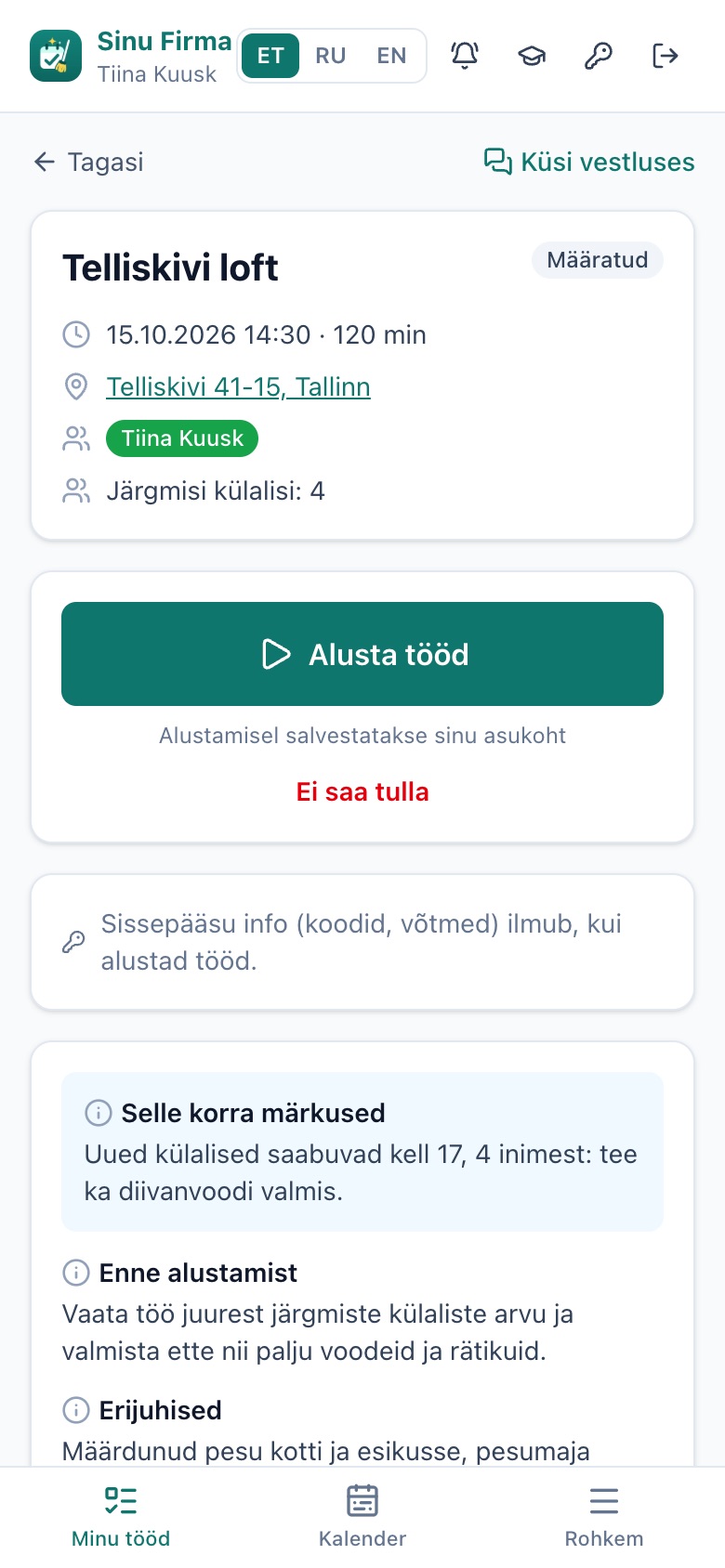
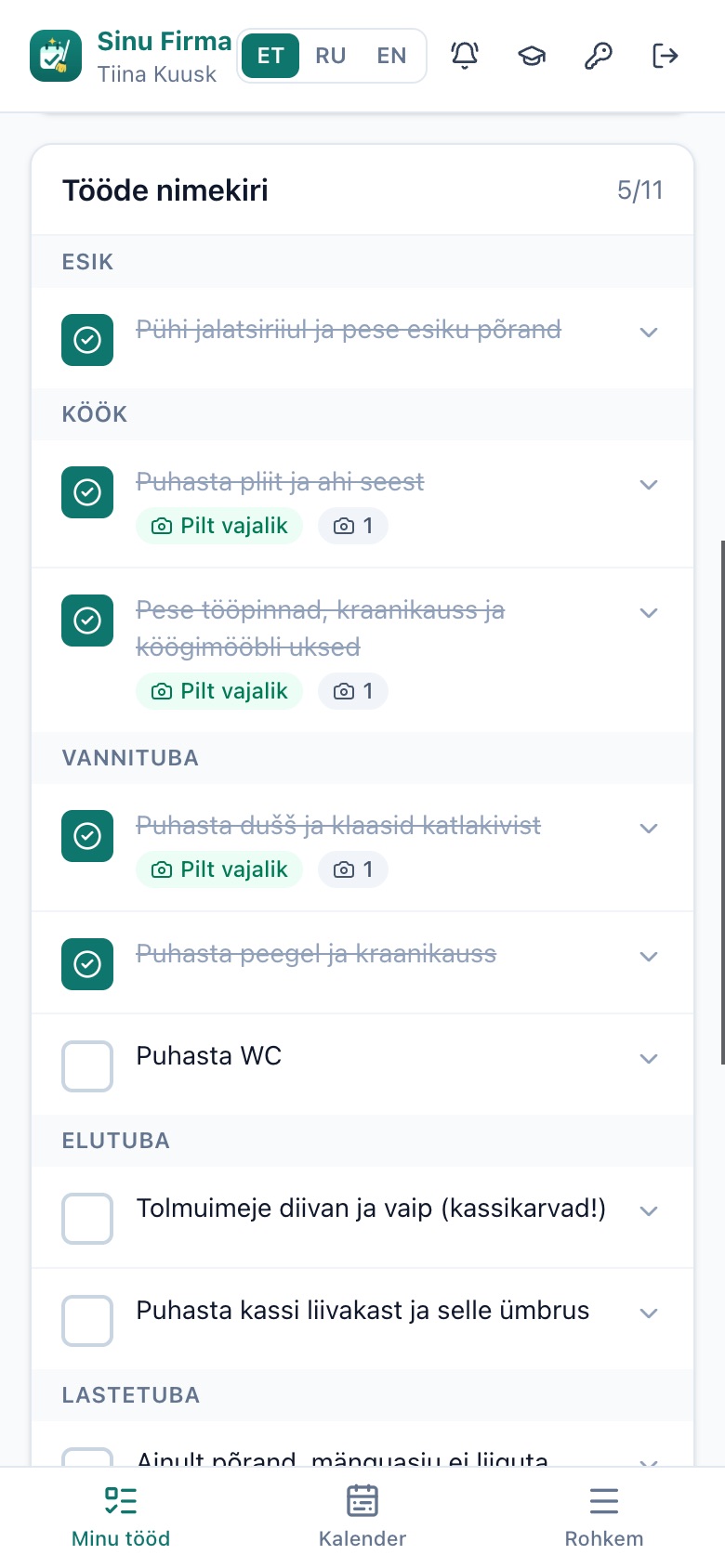
Tasks by room, photos before and after, and comments. A job starts and finishes with one tap.
Access and instructions
Door codes and key details appear only once the job has started.
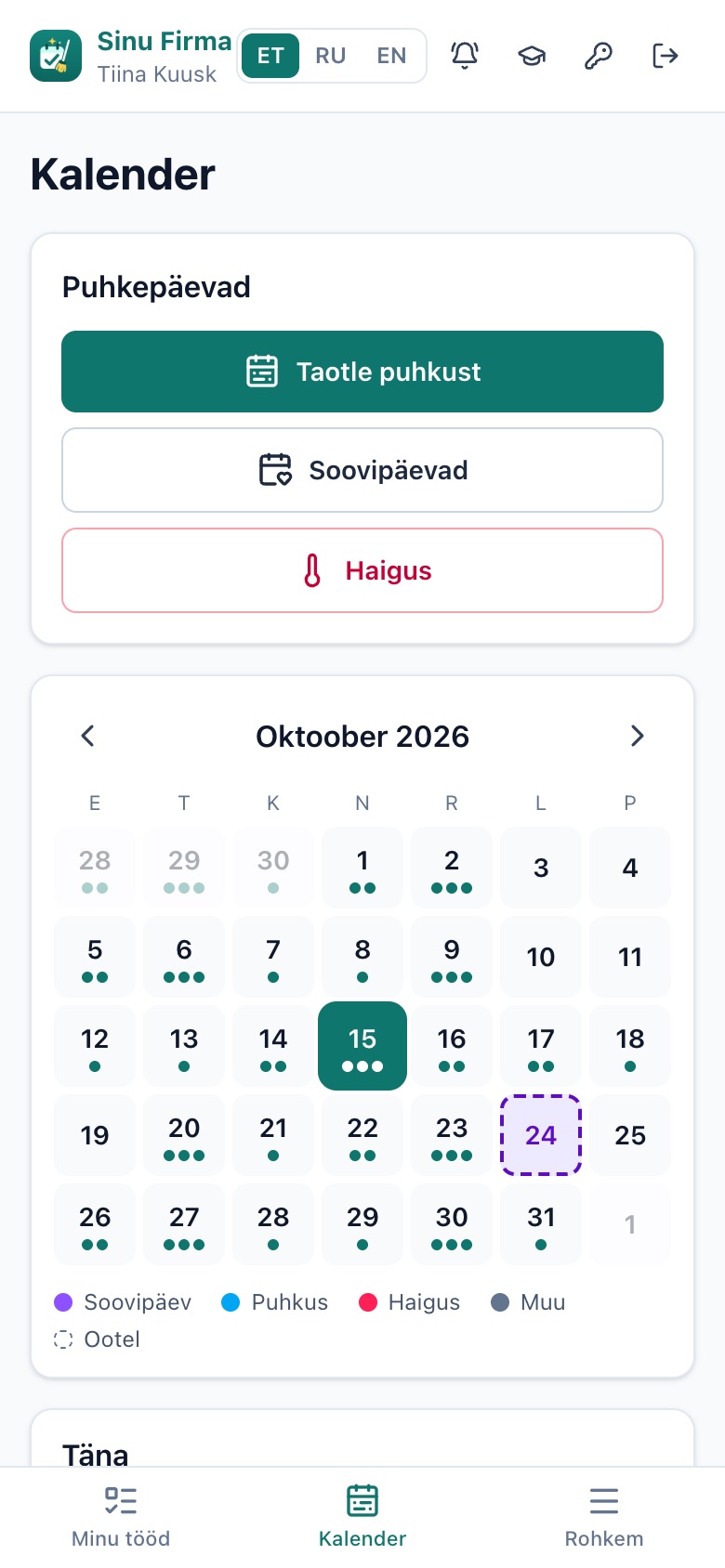
Calendar
Tapping a day shows that day's jobs and the route on a map. It is also where cleaners report sick days and ask for leave or wish days, and jobs can go into the phone's own calendar.
Even without signal
In a basement or stairwell, ticks and photos wait on the phone and are sent once the signal is back.
Gig workers
Temporary workers mark in a calendar when they are available.
Tutorial
On first sign-in the app walks you through, and every page has a short tutorial.
Three languages
Every cleaner uses the app in Estonian, Russian or English.
On the cleaner's phone.
How to start.
Try the demo
See how the work goes in the manager's and the cleaner's view. No sign-up needed.
Let's talk
A short call: how work runs in your company now and what you need.
We show you how
We give managers and cleaners a short walk-through of the app, in Estonian or English.
You start
Your staff open the app on their phone through a link. We help them get started.
Do staff have to download an app?
No. The app opens in the phone's browser and can be added to the home screen like any other app.
What does it cost?
It depends on the size of the company and what needs adapting. After the free consultation I send a concrete offer. A clear price before we start.
Can the app be adapted to our company?
Yes. We set up sites, workflows, checklists and languages to match how you work.
Is it really in use?
Yes. The app is used every day by a cleaning company and keeps growing together with them.
Can I try everything in the demo?
Yes. The demo has a made-up company, sites and staff, so nothing can break.
Questions.
Try it yourself.
The demo opens right away. Or let's talk for ~30 minutes, no commitment.